 Mohit Singh

|
Getting your Trinity Audio player ready...
|
AI tools are changing how content gets made. A single creator can now do what used to take a team. The hard part is picking the right tools from the hundreds available.
AI business tools are changing that. With the right software, you can automate repetitive work, speed up your workflow, and improve the quality of your content without hiring a large team. Whether you run a YouTube channel, blog, podcast, or social media brand, AI can help you work smarter while staying consistent.
The number of AI tools available today is growing quickly. Some are built for writing and SEO, while others focus on video editing, graphic design, voice generation, marketing, or business automation. Choosing the right tools can save hours every week and help you create better content with less effort.
In this guide, we’ll look at the best AI business tools for content creators. You’ll learn what each tool does, its key features, pricing, pros and cons, and the type of creator it’s best suited for. By the end, you’ll have a clear idea of which AI tools deserve a place in your content creation workflow.
Quick Comparison
| Tool | Best For | Starting Price | Free Version |
| Simplified | All-in-one content creation | $20/month | Yes |
| ChatGPT | Brainstorming & drafting | Free / $20/month | Yes |
| Claude | Long-form writing | Free / $18/month | Yes |
| Canva | Visual content & design | Free / $15/month | Yes |
| Midjourney | High-quality AI images | $10/month | No |
| Descript | Video & podcast editing | Free / $24/month | Yes |
| CapCut | Short-form video | Free | Yes |
| Runway | Advanced AI video | Free / $15/month | Yes |
| Hootsuite | Social media management | $99/month | No |
| Surfer SEO | Search engine optimization | $89/month | No |
All-in-One Platforms
Simplified bundles AI writing, image generation, video creation, design, and social scheduling into one workspace. It’s built for creators who need good content across formats without paying for specialized tools in each one. The shared Brand Kit applies your logos, colors, fonts, and voice automatically across everything. It won’t replace Photoshop or Premiere, but it can replace Canva, Jasper, and Hootsuite and save you $100-190 per month.
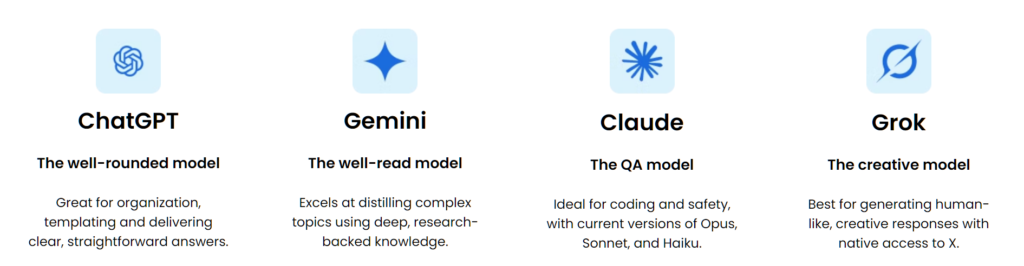
Bluehost AI All-Access Pack gives you access to multiple leading AI models (ChatGPT, Gemini, Claude, and Grok) from a single dashboard. You get writing, research, presentations, and business productivity tools in one place.
Writing Tools
ChatGPT remains one of the most versatile tools for creators. It excels at brainstorming ideas, writing video scripts, drafting captions, and generating social media copy. The tool adapts to different tones, from casual TikTok scripts to professional LinkedIn posts. Free tier available, Plus plan at $20/month, Pro at $200/month.
Claude produces the highest quality writing output for most professional use cases. It’s especially strong for long-form content and nuanced tone matching. Its ability to process massive context windows makes it ideal for complex reports or long-form books.
Jasper is built for marketers and creators who need substantial written content – blog posts, campaigns, ads, and emails. It maintains consistent brand voice across teams and campaigns.
Grammarly has reinvented itself for 2026. With 30 million daily active users, it’s the dominant text-correction tool. It catches grammar errors, improves sentence clarity, and refines tone across drafts.
Image Generation
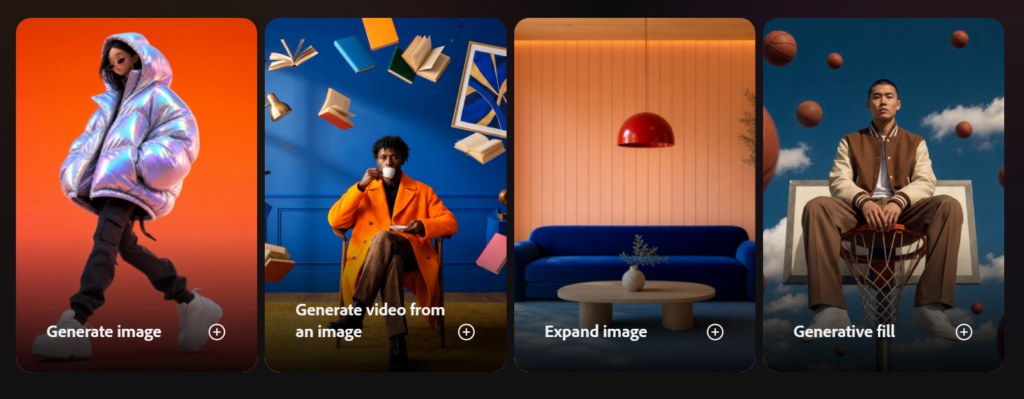
Canva has evolved beyond a simple design tool. Its AI-powered features include Magic Design, Magic Write, text-to-image generation, and background removal. You can generate social media posts, carousels, presentations, and video thumbnails directly from text prompts. With over 20,000 templates, it makes professional design accessible to non-designers. Free tier available, Pro plan at $15/month.
Midjourney remains the top choice for high-quality, artistic AI images. It’s the go-to for creators who need stunning visuals and are willing to pay for quality. Plans start at $10/month.
Adobe Firefly generates highly realistic visuals and integrates deeply with Adobe Creative Cloud. It’s ideal for creators already using Adobe’s ecosystem. Plans start at $9.99/month.
Freepik combines AI image generation with a large stock asset library. You get AI-generated visuals alongside vector graphics and templates. Plans start at $5.75/month.
Video Tools
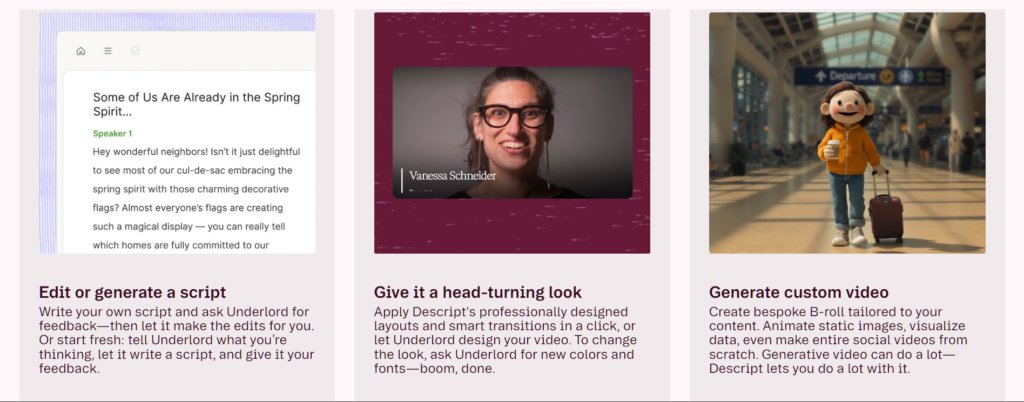
Descript lets you edit videos like a text document. Upload your file, and Descript generates a transcript tied to the video timeline. Delete a sentence from the transcript, and it disappears from the video. It removes filler words like “um” and “uh” in one click. The Overdub feature lets you clone your own voice and generate synthetic audio by typing. Free tier available, Hobbyist at $24/month, Pro at $33/month.
CapCut continues to dominate short-form video creation. It offers auto-captions, AI background removal, smart cuts, AI voiceovers, and text-to-video generation. It’s particularly popular among TikTok, Instagram Reels, and YouTube Shorts creators. The app also offers ready-made templates that automatically sync transitions and effects to music. Free to use.
Runway allows creators to generate cinematic video clips using text prompts, edit scenes with AI masking tools, erase objects, and add advanced visual effects. Its motion tracking, image-to-video generation, and scene consistency tools make it one of the most advanced AI editing tools available in 2026. Free tier available, Pro at $15/month.
HeyGen is the best overall AI video tool for YouTube creators. It uses AI-generated digital avatars to create professional videos.
Audio Tools
ElevenLabs is the best AI voiceover tool for faceless channels. It generates natural-sounding voiceovers in multiple languages. The voice quality is so good that it’s hard to tell it’s not a human. Plans start at $5/month for the Starter tier, which gives you 30,000 characters per month. The Creator plan at $22/month offers 100,000 characters and voice cloning.
Descript isn’t just for video. It’s also a powerful audio editor. You can edit audio files like a text document. Delete words from the transcript, and they disappear from the audio. The Studio Sound feature removes background noise and makes recordings sound professional. The Overdub feature lets you clone your voice and generate synthetic audio by typing. Free tier available. Hobbyist at $24/month. Pro at $33/month.
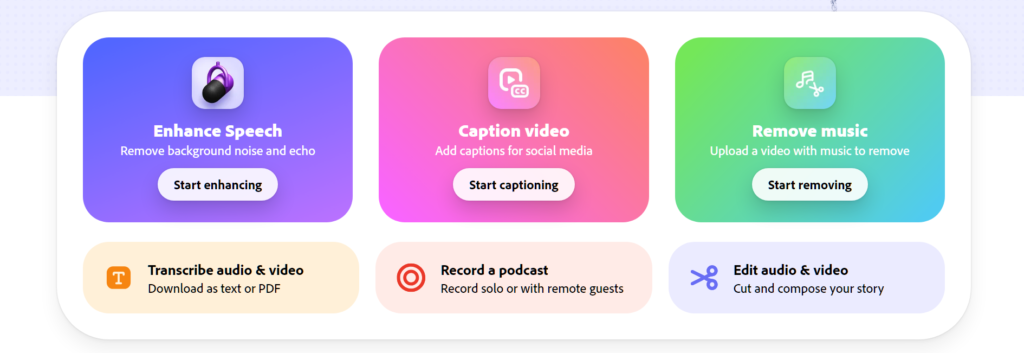
Adobe Podcast offers AI-powered audio enhancement for free. Upload a recording, and it removes background noise, echo, and improves vocal clarity. It’s ideal for creators recording in less-than-ideal spaces. The tool is designed for voice-only content like podcasts and voiceovers. It’s one of the best free options available.
Descript also recently introduced an AI audio generator that can create music, sound effects, and voiceovers from text prompts. This is useful for creators who need background music or sound effects but don’t want to pay for stock audio.
Soundraw is an AI music generation tool. It creates royalty-free background music for videos, podcasts, and social media content. You can customize the length, mood, genre, and tempo. Plans start at $5.99/month for 10 downloads. The Pro plan at $16.99/month offers unlimited downloads and commercial use.
Suno is another AI music generator. It creates full songs with vocals from text prompts. You can generate instrumental tracks or complete songs with lyrics. The free tier gives you 50 credits per day. The Pro plan at $10/month offers 1,000 credits per month.
Murf.ai specializes in voiceovers with a large library of AI voices. It offers 120+ voices in 20+ languages. You can fine-tune pitch, speed, and emphasis. It’s a strong alternative to ElevenLabs for creators who need variety. Plans start at $19/month for the Basic tier. The Pro plan at $26/month offers more voices and commercial rights.
Podcastle is an all-in-one podcast creation platform. It offers AI-powered audio editing, noise reduction, and a text-to-speech feature with over 80 voices. The Revoice feature lets you clone your voice for future recordings. Free tier available. The Storyteller plan at $11.99/month offers unlimited exports and 1 hour of transcription per month. The Pro plan at $23.99/month offers 5 hours of transcription.
Auphonic is a specialized audio post-production tool. It levels loudness, reduces noise, and balances voices automatically. It’s designed for podcasts and professional audio production. Free tier gives you 2 hours of processing per month. The Standard plan at €11/month offers 10 hours. The Pro plan at €38/month offers 100 hours.
Cleanvoice AI removes filler words like “um,” “uh,” and “you know” from audio files. It also detects and removes long silences and mouth sounds. It’s a simple, focused tool for cleaning up podcast and voiceover recordings. Plans start at $5/month.
Krisp removes background noise from audio in real-time. It works during recording and can also clean up existing files. It’s useful for recording in noisy environments. Free tier available. The Pro plan at $5/month offers unlimited noise cancellation.
Social Media Management
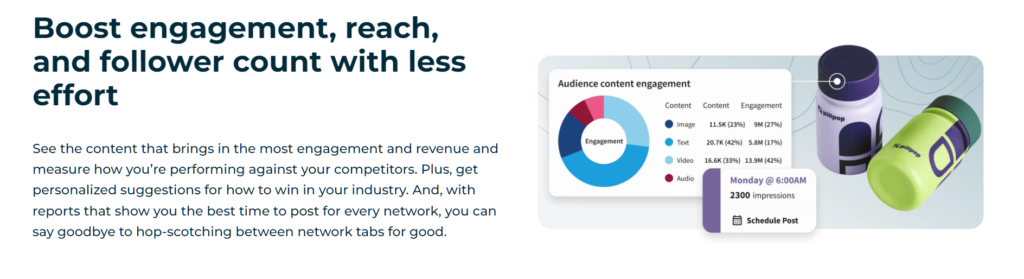
Hootsuite is an all-in-one social media management tool that combines content creation, scheduling, analytics, and social listening. It’s ideal for teams managing multiple accounts. Plans start at $99/month.
Buffer and SocialBee help creators schedule content, manage workflows, and maintain publishing consistency across multiple channels.
OwlyWriter AI instantly generates captions and content ideas for every social media network. It’s built directly into social media workflows.
SEO Tools
Surfer SEO provides real-time content scoring and optimization recommendations. It analyzes top-ranking pages and guides you to match or exceed their quality. Plans start at $89/month.
How to Choose
For a single all-in-one solution: Simplified. One login, one brand library, one bill. It covers most of what you need.
For writing and brainstorming: ChatGPT or Claude. Both are excellent, but Claude handles long-form better.
For visuals: Canva for ease of use, Midjourney for quality, Adobe Firefly for professional work.
For video: CapCut for short-form, Descript for podcasts and talking-head videos, Runway for advanced effects.
For social media: Hootsuite or Buffer for scheduling, OwlyWriter for captions.
For SEO: Surfer SEO to make sure your content ranks.
Common Questions
Many have free versions like Chatgpt, Gemini. Start with those. Upgrade when you hit their limits.
No. A great image model isn’t a great writer. The real question is which combination fits how you work.
No. These tools remove friction. They help you move from idea to usable draft faster. But they don’t replace human creativity, strategy, or judgment.
Not without editing. AI models hallucinate facts. Always fact-check and refine the output.
Final Verdict
Start with Simplified if you want one tool that does a bit of everything. It won’t be the best in any single category, but it covers the 80% use case. Add ChatGPT or Claude for serious writing. Add CapCut or Descript for video. Add Canva or Midjourney for images.
Don’t buy five overlapping subscriptions. Pick one all-in-one platform or two to three specialists. Build a stack that covers your needs without paying for tools you won’t use. Test the free versions first. Upgrade when you know exactly what you need.
Also Check: 12 Original AI Movie Concepts Created with ChatGPT